Settlemate
- 4.3
- Rating
- 500.00K
- Installs
- Free
- Price

 Analysis by App-foxy
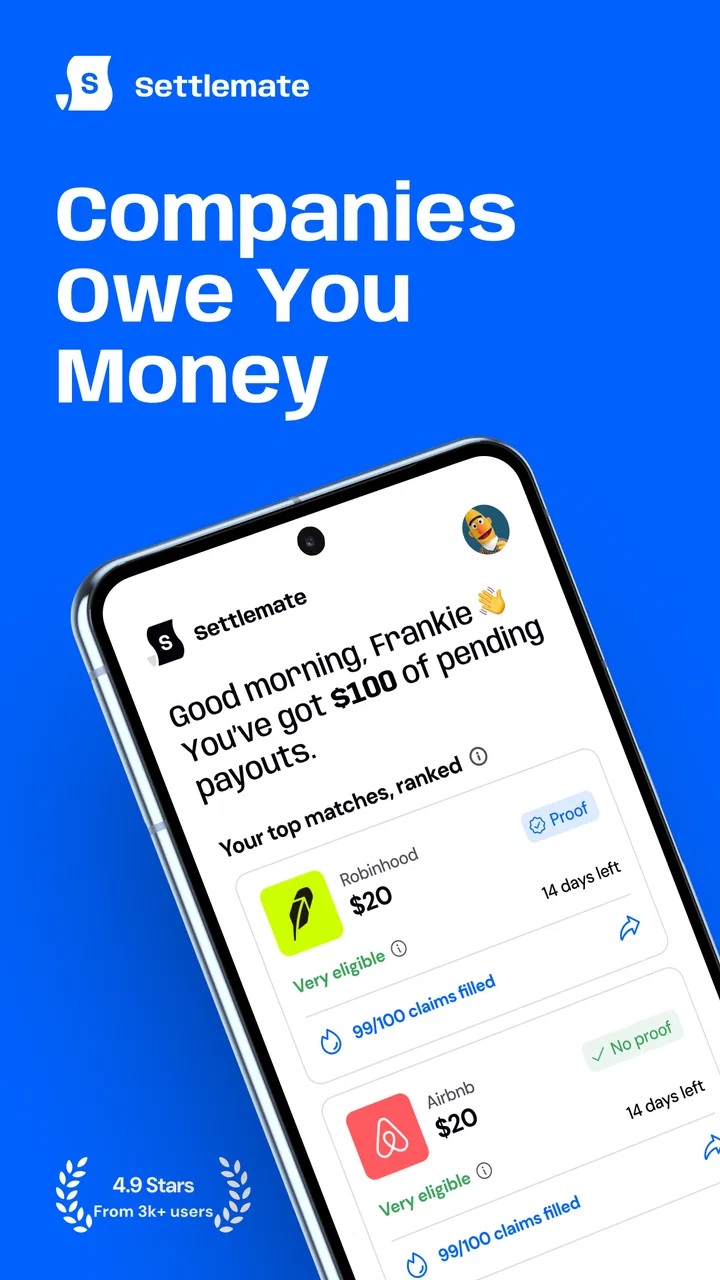
Settlemate is a finance app from Settlemate built around a simple but useful idea: companies may owe you money, and keeping track of those possibilities is easier when the information is gathered in one place. I found the concept more practical than it first sounds. Many people ignore small compensation opportunities because checking eligibility, remembering deadlines, and following a claim all take more effort than the possible payout seems worth. This app is aimed at reducing that friction.
It is free to download, rated for Everyone, and available for Android devices running version 8.0 or later. The app has reached over 500 thousand installs, with an average rating of 4.2 from around 33 thousand ratings. Those figures suggest that Settlemate has found a real audience, although they do not remove the need to judge whether its workflow suits the way you handle personal finance.
How Settlemate fits into everyday money tasks
I would not describe this as a full budgeting app, a banking replacement, or a general-purpose investment tool. Its focus is narrower: helping users notice and pursue money they may be entitled to receive from companies. That focus is its main strength. Instead of asking you to monitor every part of your financial life, it gives attention to a category of money that is easy to overlook.
You May Also Like

 Google Keep - Notes and lists
Google Keep’s Quiet Growth Shows the Appeal of Simpler Notes
As mobile work gets busier, Google Keep keeps winning a simple contest: capture a thought quickly, find it later, and get on with the day.

 Blood Strike: 2.5 Anniversary
Blood Strike’s Loadouts Turn Every Drop Into a Tactical Gamble
A close look at Blood Strike’s custom loadouts: how fast access to signature weapons reshapes its battle royale rhythm, rewards preparation, and narrows the gap between fights.

 Pandora - Music & Podcasts
Pandora’s Music Is Easy to Start, but Harder to Recover
Pandora’s strength is its low-effort path from a seed to a station. Its weak spot is how much confidence it asks you to place in connection, setup, and quiet recovery.

 8 Ball Pool
 Is Built on Rivalries, Rematches, and Routine
A close look at the rivalries, rematches, shared routines, and unanswered safety questions that turn a quick pool match into a persistent mobile community.

 Samsung Music
’s Quiet Strength Is Playing What You Already Own
Its reach comes less from spectacle than from dependable access to a personal library. That simplicity is both the app’s strongest retention engine and its ceiling.

 AccuWeather: Weather Radar
AccuWeather Review: A Quick, Clear Forecast for Everyday Decisions
For everyday plans, the best forecast is the one you can understand quickly. AccuWeather makes rain timing, radar, and local conditions easy to act on, with a few trade-offs.
More From Our News Desk



The most useful way to think about it is as a checking and follow-up tool. You may hear about a settlement, remember that you used a particular service, or come across a notice that sounds relevant. Rather than leaving the task in a browser tab or an unread email, you can use Settlemate as the place where you investigate the opportunity and keep the next step in view.
That does require realistic expectations. An app cannot turn every possible claim into guaranteed money. Eligibility still depends on the specific terms of an offer or settlement, and a user may need to provide accurate information or complete a process outside the app’s immediate screen. The value here is organization and discovery, not a promise that every listing applies to you.
In my experience, the strongest audience is someone who often postpones small administrative tasks. If you regularly forget refund notices, class actions, rebates, or similar opportunities, a dedicated finance app can make the process feel more manageable. If you already have a highly organized system for tracking these matters, Settlemate may feel less essential.
Why the network connection matters
Settlemate’s usefulness is tied to current information and interactive steps, so connectivity shapes the experience. When I am on a reliable connection, the app’s purpose is clear: open it, review what is relevant, inspect the details, and decide whether to continue. The process feels lightweight when pages load promptly and the information needed for a decision is available without interruption.
The opposite is also important. A weak mobile signal can turn a quick check into an uncertain one. A page may take longer to load, a detail may need to be requested again, or a submission step may not give immediate reassurance. For a finance app, that uncertainty matters more than it would in a casual entertainment app. I want to know whether an action was accepted, whether I should retry, and whether I have accidentally duplicated anything.
My practical advice is to review a claim when you have a stable connection rather than rushing through it while moving between stations or relying on an unreliable public hotspot. This is especially sensible if the task involves personal details. A few extra minutes in a dependable setting can prevent confusion later.
Connectivity also changes how often the app feels worth opening. Settlemate makes more sense as an occasional check than as an app you stare at throughout the day. I would use it when I have time to read the conditions carefully, not simply tap through every new item. That habit reduces the temptation to treat every notification or opportunity as automatically worthwhile.
Using it on a phone in real situations
The mobile format works best for short, focused sessions. Imagine receiving an email about a company you used several years ago. Instead of opening multiple browser tabs, searching for the relevant information, and then forgetting where you stopped, you can check Settlemate while the memory is still fresh. The app becomes a bridge between recognition and action.
Another realistic situation is a household where one person handles most administrative work. A partner may remember using a service but not want to deal with the details. In that case, Settlemate can help turn a vague conversation into a concrete check: identify the company, read the conditions, and decide whether the opportunity deserves follow-up. It does not replace careful reading, but it can make the first investigation less scattered.
Phone use also creates a temptation to make decisions too quickly. Small screens encourage skimming, while financial and legal wording often rewards patience. I recommend opening the full detail before deciding that something applies to you. Look for the relevant dates, qualifying activity, required information, and any instructions about completing the process. The app is most helpful when it helps you slow down at the right moment, not when it merely makes tapping faster.
A less obvious advantage of a mobile-first workflow is timing. You may remember a relevant purchase or subscription while away from your computer. Being able to investigate immediately can prevent the idea from disappearing. The trade-off is that a phone is not always the best place to compare several conditions side by side. For complicated matters, I would use Settlemate to identify the opportunity and then take time to verify every requirement carefully before submitting anything.
What to do when a step fails
Financial workflows need a recovery plan, and this is where I would be deliberate. If a screen does not load, first check whether the connection is the problem before repeatedly pressing a button. Repeated attempts can create uncertainty about whether an action went through. Give the page time, return to the relevant item, and look for a changed status or confirmation before trying again.
If the app closes or you lose your connection midway, treat the interruption as a reason to review rather than guess. Reopen the opportunity, read its current state, and continue only when you can tell what has already been completed. Keep any confirmation information that appears, especially if the next step involves another website, an email, or a later response.
This is also why I would avoid completing a claim while distracted. A crowded commute, a nearly empty battery, or a connection that keeps switching between mobile networks and Wi-Fi creates unnecessary risk. Settlemate may make discovery convenient, but the responsibility for entering correct information and recognizing a successful submission still belongs to the user.
One useful habit is to separate discovery from completion. During a quick session, save or note the opportunity and its deadline if the app presents one. Later, return when you can concentrate. This two-stage approach is less exciting than instant completion, but it is safer for anything involving identity, purchase history, or payment details. It also makes failures easier to diagnose because you know which stage you reached.
Using less data without losing the point
Settlemate is not the kind of app I would open repeatedly just to refresh a screen. A data-conscious routine is simple: use Wi-Fi when you plan to read several opportunities, avoid refreshing the same page over and over, and close the app after you have finished reviewing the information that matters. These habits are particularly useful for people with limited mobile data or inconsistent coverage.
I would also avoid assuming that every item deserves a full investigation. Start with the opportunities that match something you clearly remember using. That filter saves both time and data, while reducing the chance of entering personal information for a matter that obviously does not apply. If an item is unclear, read its explanation first instead of jumping straight to the submission process.
Notifications, if enabled on your device, should be treated as prompts rather than proof of eligibility. A notification can be a reason to open the app, but the details inside are what should guide your decision. This distinction is important because a short alert cannot contain all the conditions that may affect a claim.
There is another data-conscious consideration: privacy and attention. Even when an app is free, your time and personal information are not free resources. I would read each request carefully and provide only what the process genuinely requires. Settlemate is more valuable when it helps you find relevant opportunities without encouraging careless, broad sharing of information.
How it compares with familiar alternatives
The usual alternative is doing everything manually. You can search the web, follow consumer news, keep a spreadsheet, and set reminders in your calendar. That approach offers control and may suit someone who enjoys maintaining detailed records. Its weakness is consistency. Search results can be scattered, spreadsheets become outdated, and reminders do not necessarily explain why a task matters.
Settlemate’s advantage over that manual system is concentration. It gives this one financial task its own place instead of making you build a process from separate tools. For a casual user, that can be enough to turn an occasional opportunity into something actionable. The disadvantage is that a dedicated app may feel unnecessary if you already track these matters reliably through email folders, notes, or a personal finance system.
It also differs from budgeting apps. A budget app helps explain where your money goes and whether your spending matches your plans. Settlemate is more about looking backward at possible money owed to you. These tools solve different problems, so I would not choose one as a direct replacement for the other. Someone trying to control monthly spending still needs a budgeting method; someone trying not to miss compensation opportunities may find Settlemate more targeted.
Compared with opening a browser every time, the app can reduce repeated searching and make the task feel less fragmented. However, a browser remains better when you need broad research, want to compare independent explanations, or prefer working on a larger screen. My choice would depend on the task: use Settlemate for discovery and organization, then verify complex details through the official instructions connected with the matter.
Who will benefit, and who should skip it
I would recommend Settlemate to people who have used many consumer services, tend to miss administrative deadlines, or want a focused way to check whether a company-related payment opportunity is relevant. It is also a reasonable fit for users who prefer a guided mobile experience over maintaining a spreadsheet of possibilities.
I would be more cautious about recommending it to someone who expects guaranteed payments, instant results, or a complete personal finance dashboard. The app cannot remove the conditions attached to a claim, and it should not be treated as a substitute for reading the official terms. Users who are uncomfortable reviewing financial or personal-information requests on a phone may prefer a computer-based manual process.
The free entry point makes it easy to try, but there are in-app purchases priced from around fourteen dollars to around thirty-five dollars per item. That makes it important to understand what you are paying for before confirming anything. I would not spend money simply because an opportunity sounds promising; first decide whether the potential benefit, your eligibility, and the service being offered justify the cost.
That pricing detail also changes the app’s suitability for occasional users. If you only investigate one possible claim every few months, paid options may not feel worthwhile. A person who values convenience and regularly handles several opportunities may judge the trade-off differently. In either case, the free starting point should be treated as a chance to understand the workflow, not as a reason to purchase automatically.
Version, maturity, and day-to-day confidence
The current version is 4.4.0, and the app was released on July 17, 2025. I see that relatively recent release context as a reason to judge the experience by how clearly it handles the practical steps: finding a relevant opportunity, understanding the conditions, and recovering from an interrupted session.
Its 4.2 average rating and roughly two thousand written reviews indicate a generally positive reception with enough user feedback to suggest that the app is being actively noticed rather than remaining obscure. I would still read recent comments before relying on it for an important deadline, because finance workflows can be sensitive to changes in content, connectivity, and claim procedures.
The Everyone age rating makes the app approachable for a broad audience, but age suitability is not the same as financial simplicity. Younger users and anyone unfamiliar with settlement language should take extra care with eligibility questions and requests for information. If the wording is unclear, pause and verify the requirement instead of guessing.
Settlemate is free to install, but the presence of optional purchases means I would check the screen carefully before completing a paid action. That is not a criticism unique to this app; it is simply good practice whenever a finance-related tool offers additional services. A clear decision about value is better than an impulsive tap made because a deadline feels urgent.
My connectivity verdict
Settlemate works best when I treat it as a focused, connected finance assistant rather than a background money machine. A dependable network makes discovery and follow-up smoother, while poor connectivity can make confirmation and recovery harder. The right response is not to use it constantly, but to choose a calm moment, review one opportunity at a time, and keep track of what has already been done.
Its most convincing benefit is the way it gives overlooked company-related payments a dedicated workflow. The less obvious benefit is behavioral: it can turn “I should look into that” into a specific task. The main trade-off is that convenience does not eliminate judgment. You still need to check eligibility, protect your information, understand any paid option, and confirm the result of an interrupted action.
For me, the app is worth trying if missed opportunities are a recurring problem and a mobile-first approach fits your habits. I would skip it if you want a full financial planner, dislike connected workflows, or already have a dependable manual system. Used with patience and a stable connection, its real strength is making an easily forgotten financial check easier to begin and easier to revisit.
Overall, Settlemate is a focused finance app with a clear purpose and a sensible place in a personal money toolkit. I would recommend starting with the free experience, testing how comfortably you can review opportunities on your phone, and deciding afterward whether any optional purchase genuinely improves the process. That approach keeps the app useful without letting convenience replace careful financial decisions.
FAQs for Settlemate
01What is Settlemate and what can it do for me?
Settlemate is a comprehensive budgeting and expense tracking app designed to help users manage their finances efficiently. It allows you to create budgets, track expenses, and set financial goals. With its user-friendly interface, Settlemate provides insights into spending habits and offers tips for saving money, making it ideal for both personal and small business use.
02Is Settlemate available for both Android and iOS devices?
Yes, Settlemate is available for download on both Android and iOS platforms. You can find it on the Google Play Store for Android devices and the Apple App Store for iOS devices. The app is optimized for a seamless experience on smartphones and tablets, ensuring accessibility across different devices.
03Does Settlemate require an internet connection to function?
Settlemate can operate both online and offline. While an internet connection is needed for syncing data and accessing certain features like cloud backup, the app allows you to track expenses and view reports offline. This flexibility ensures you can manage your finances anytime, anywhere, without being tied to a network.
04Is my financial data safe when using Settlemate?
Settlemate prioritizes user security by implementing robust encryption protocols to protect your financial data. The app also offers features like password protection and biometric authentication (such as fingerprint or facial recognition) for added security. Additionally, your data is stored securely on cloud servers, ensuring it remains private and accessible only to you.
05Are there any costs associated with using Settlemate?
Settlemate offers a free version with basic features suitable for everyday budgeting needs. However, for advanced features like multi-device sync, premium support, and detailed financial reports, a subscription to Settlemate Pro is required. The app provides various subscription plans, allowing users to choose one that best fits their financial management needs.
Pros
- User-friendly interface for easy navigation.
- Comprehensive budgeting tools included.
- Real-time notifications for spending alerts.
- Customizable categories for expenses.
- Secure data encryption for user protection.
Cons
- Limited free features without subscription.
- Occasional syncing issues with bank accounts.
- No offline mode available for use.
- In-app ads can be distracting.
- Support response time can be slow.

Settlemate
Gallery